WhatsApp and Meta AI
WhatsApp writing help (Meta AI) vs RIZR
WhatsApp now has writing help with Meta AI: it suggests messages from your recent conversation and rewrites your draft in 5 styles. It lives inside the chat, but it is off by default and not available in every country. RIZR is a separate app built for dating chats.
Try the reply tool

x-default, es, en, it, fr, pt-BR, de, nl, ja, ko, zh-CN, ar
Side by side
| Aspect | RIZR | Meta AI |
|---|---|---|
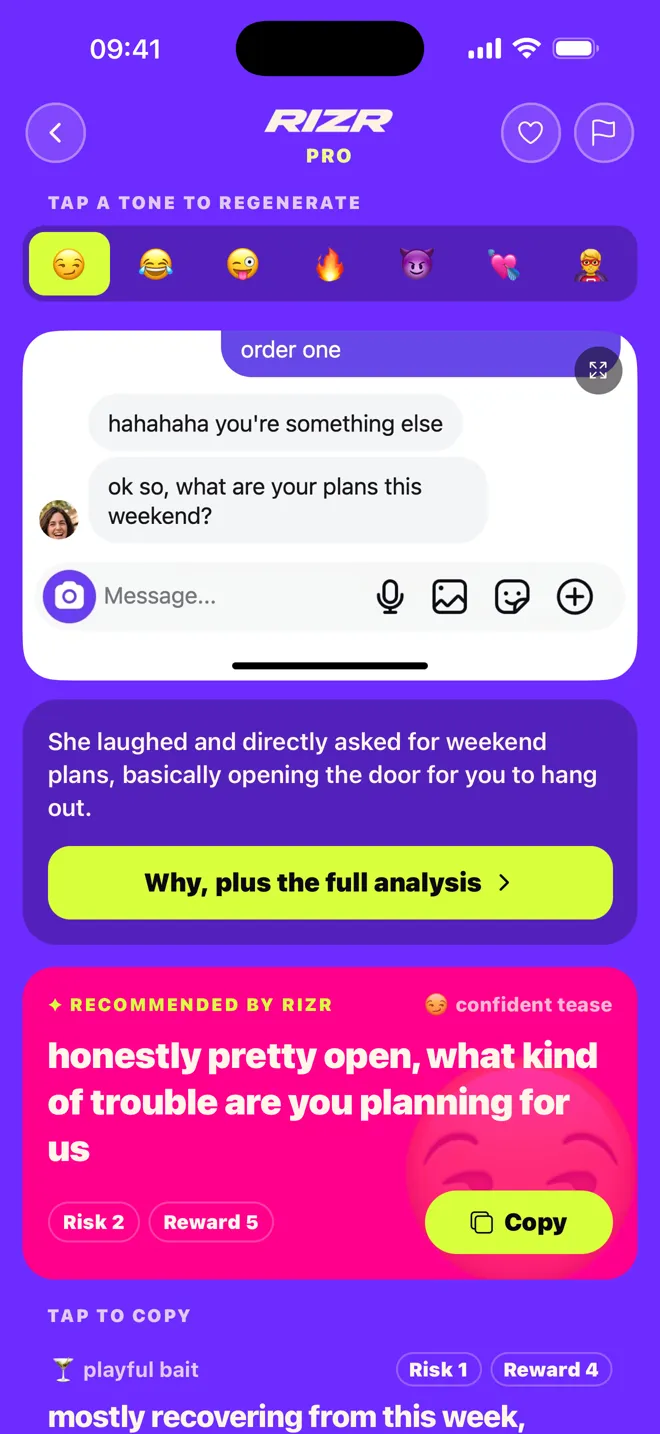
| What it does | Reads the conversation in your screenshot and suggests dating replies in the tone you pick. | Suggests messages "based on your recent conversation" and rewrites a draft of 4 words or more. |
| Styles | 7 dating tones (Spanish app names): Comedia, Pícaro, Vacile, Directo, Flirteo, Tierno, and Salvada Épica. | Rephrase, Professional, Funny, Supportive, and Proofread. WhatsApp notes that some are not available in every language. |
| Where it works | With screenshots from WhatsApp, Instagram, Tinder, Bumble, Hinge, Telegram, and other apps. iOS, Android, and web. | Only inside WhatsApp, on Android and iPhone. Its help page says it is not available on WhatsApp Web. |
| Turning it on | Install the app, then upload a screenshot or paste the text. | Requires "Private Processing", which is off by default. On Android: Settings > Chats > Private Processing. |
| Languages and countries | Built in Spanish, available in more languages. | English, Indonesian, Portuguese, and Spanish. Meta AI is only in some countries and WhatsApp does not publish the list. |
| Privacy | Screenshots are processed on servers, with an AI provider acting on our behalf. With an account, the image is deleted after 30 days. | WhatsApp says it processes requests in a secure cloud environment (Private Processing) and that not even Meta or WhatsApp can read your messages. |
| Beyond the message | On Pro: reads of their message, the live Professor, and WhatsApp chat analysis. | Focused on drafting and rewriting the message you are about to send. |
Questions about this comparison
Practical differences, limits, and privacy · 5 questions
How do I turn on WhatsApp writing help?
First turn on Private Processing (on Android: Settings > Chats > Private Processing; it is off by default). Then, in a chat, tap the stickers icon and the writing help icon, or long-press a draft of 4 words or more and tap Rewrite.
Does it read my conversation?
For suggested messages, yes: they are based on your recent conversation. For rewrites, it works on your draft. WhatsApp says both run through Private Processing and are not stored.
So why use RIZR?
RIZR is built for dating: 7 tones to flirt, tease, or rescue a dead chat, profile-based openers, reads of what their message means, and it works with screenshots from any app, not just WhatsApp.
Does it work on WhatsApp Web?
Writing help does not, according to WhatsApp. RIZR has a web mode (Pro) where you paste the screenshot with ⌘V.
Does either send the message for me?
No. In both you pick a suggestion, edit it if you like, and send it yourself.
Primary sources
Reviewed on:
- WhatsApp Help: use writing help (Spanish)
- WhatsApp Help: use writing help (English)
- WhatsApp Help: about Private Processing
- WhatsApp Help: turn Private Processing on or off
- WhatsApp blog: private writing help (27 Aug 2025)
- RIZR privacy information
- RIZR plans and prices
- RIZR on the App Store
Independent editorial comparison. RIZR is not affiliated with WhatsApp or Meta.
Try RIZR with a WhatsApp chat
Take a screenshot, pick a tone, and decide what to send.
More situations and guides