General chatbots for dating
RIZR vs Gemini, Claude and Grok for dating replies
Gemini, Claude, and Grok can read a screenshot and draft a reply if you explain what you want. The differences with RIZR are the prompt, the tone, and what happens to your chats: with some of them, your conversations can be used to train models depending on your settings.
Try the reply tool

x-default, es, en, it, fr, pt-BR, de, nl, ja, ko, zh-CN, ar
Side by side
| Aspect | RIZR | Gemini · Claude · Grok |
|---|---|---|
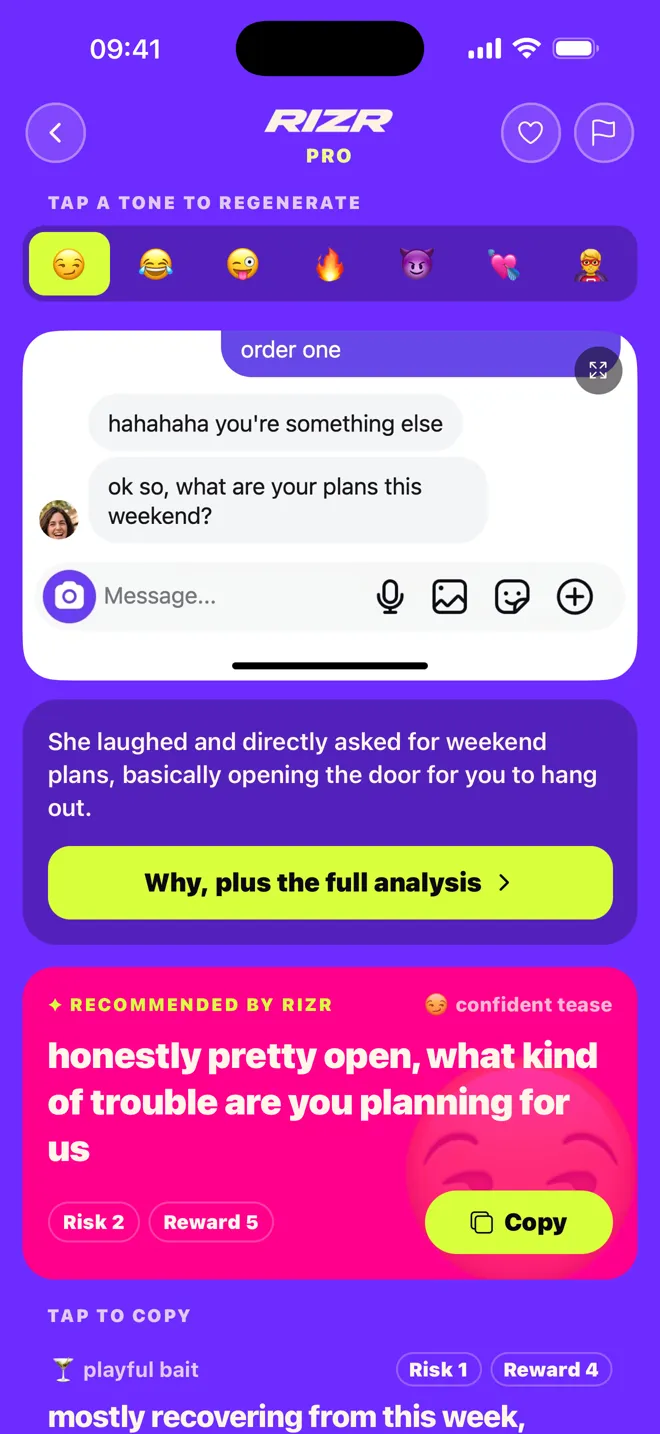
| How you ask | Upload the screenshot and pick a tone. No instructions to write. | You write a prompt: who is who, the tone you want, and what to avoid. The result depends on how you ask. |
| Reading a screenshot | Yes, it is the main input, along with pasted text. | Gemini takes images when signed in; Claude takes JPEG, PNG, GIF, or WebP images. We found no official statement for Grok’s free plan. |
| Tones | 7 fixed dating tones (Spanish app names): Comedia, Pícaro, Vacile, Directo, Flirteo, Tierno, and Salvada Épica. | Whatever you describe in the prompt. No predefined dating tones. |
| Your chats and training | RIZR’s code does not reuse screenshots or messages to train a RIZR model. | Gemini: for users 18+, Keep Activity is on by default and can be used to train models. Claude: you choose in Settings > Privacy. Grok: may use your chats unless you turn off "Improve the model". |
| Minimum age | 18, according to its terms (rizr.me/terms). | Gemini: 13 or your country’s age. Claude: 18. Grok: 13, with parental permission from 13 to 17. |
| What comes around it | Profile-based openers, reads of their message, the live Professor, and WhatsApp chat analysis (Pro). | Built for almost any task, not just dating. They can explain a message if you ask. |
| Who sends | You do. RIZR sends nothing. | You do: you copy the text they give you. |
Questions about this comparison
Practical differences, limits, and privacy · 5 questions
Can I use Gemini for dating replies?
Yes. Signed in, you can upload a screenshot and ask for a reply. Note that if you are 18 or over, Keep Activity is on by default and your chats can be used to improve Google services, including training models. You can turn it off at gemini.google.com > Activity.
What about Claude?
Claude accepts images and can draft replies if you give it context. Since 2025 Anthropic asks each user to choose whether their chats are used to improve Claude; change it in Settings > Privacy. You must be 18.
What about Grok?
xAI says it may use your Grok conversations to train its models, and you can turn that off in Settings > Data Controls > "Improve the model". Private Chat is not used for training.
What prompt should I use with a chatbot?
Say which side of the screenshot is you, what you want (keep the joke going, suggest meeting), the tone and length, and ask for three short options. Remove names and personal details before uploading.
Why use RIZR instead of a chatbot?
You skip the prompt: upload the screenshot, pick one of 7 tones, and get several replies built for dating chats. If a chatbot already works for you, that is a valid choice too.
Primary sources
Reviewed on:
- Gemini Apps Privacy Hub
- Gemini Help: Keep Activity
- Gemini Help: upload files and images
- Anthropic: updates to consumer terms (28 Aug 2025)
- Anthropic consumer terms
- Claude privacy settings
- xAI FAQ (training and data controls)
- xAI terms of service
- RIZR privacy information
- RIZR plans and prices
- RIZR on the App Store
Independent editorial comparison. RIZR is not affiliated with Google, Anthropic, or xAI.
Try it without writing a prompt
Upload the screenshot, pick a tone, and compare with your chatbot.
More situations and guides