Specialised tool versus general assistant
RIZR vs ChatGPT: what to use for chat replies
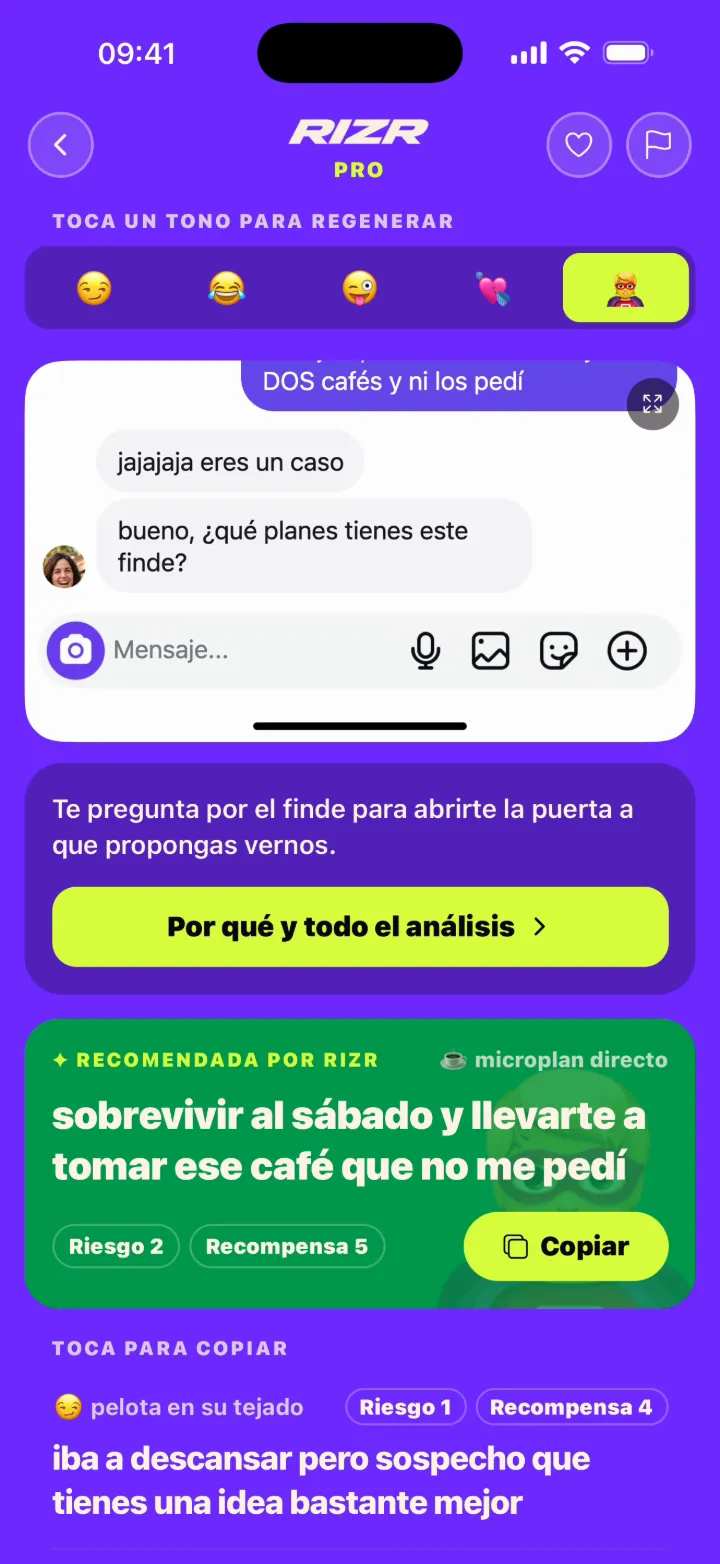
RIZR organises replies and conversation analysis in a dedicated interface. ChatGPT is a general assistant that can also analyse images and files through prompts.
Try the reply tool

x-default, es, en, it, fr, pt-BR, de, nl, ja, ko, zh-CN, ar
Side by side
| Aspect | RIZR | ChatGPT |
|---|---|---|
| Purpose | A product dedicated to suggested replies and conversation analysis through Coach mode. | A general assistant for writing, planning, coding, and analysing images or files. |
| Workflow | Enter text or a screenshot, select a style or Coach, and receive a structured result. | Attach content, write a prompt, and refine the response through conversation. |
| Message control | You review, copy, and send any suggested reply. | It generates text or observations; you decide what to keep, edit, or send. |
| Data | The anonymous demo processes input transiently and keeps its idempotent result for 15 minutes. Account history remains until deletion. | Consumer training use is governed by Data Controls. Temporary Chat is excluded from history and training, and is deleted within 30 days. |
Questions about this comparison
Practical differences, limits and privacy · 3 questions
Which option needs less setup?
RIZR has built-in styles and Coach. ChatGPT offers more open-ended control, but usually needs a prompt that explains context, tone, and desired format.
Can ChatGPT analyse a chat screenshot?
Yes, ChatGPT supports image inputs in compatible experiences. Visual analysis can be wrong, so review the context and output.
How do the privacy choices differ?
RIZR documents its anonymous demo and account history separately. In ChatGPT, review Data Controls and use Temporary Chat when that workflow fits your needs.
Primary sources
Reviewed on:
- OpenAI: What is ChatGPT?
- OpenAI: ChatGPT image inputs
- OpenAI: ChatGPT Data Controls
- OpenAI: how ChatGPT data is used
Independent editorial comparison. RIZR is not affiliated with OpenAI. ChatGPT and related marks belong to their respective owners.
Try a workflow built for chat replies
Use text or a screenshot, choose a style, and decide which message you want to send.
More situations and guides